
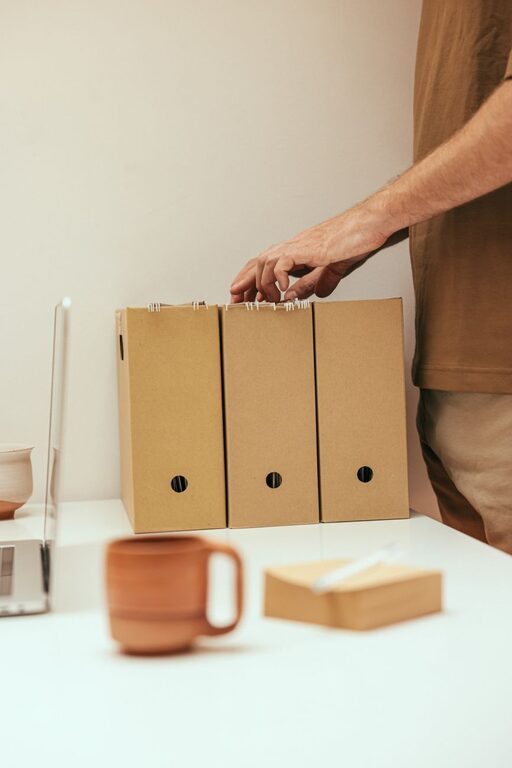
Keeping your computer files organized is essential for improving productivity, reducing stress, and making it easier to find important documents when you need them. Just like physical clutter on a desk, a messy digital workspace can slow you down and make everyday tasks more frustrating. Whether you’re a student, a professional, or someone who simply wants a neater computer, organizing your files can make a big difference. Here are some practical tips to help you create and maintain a well-structured file system on your computer.
Why Organize Your Files?
Before diving into how to organize, it helps to understand why it matters. Organized files save time, prevent data loss, and make backups easier. When files are scattered everywhere or saved with unclear names, it can be difficult to locate what you need, and you may accidentally overwrite or lose important information. An organized system improves your focus and reduces clutter, much like tidying your physical workspace.
Getting Started with File Organization
1. Create a Clear Folder Structure
Start by designing a folder structure that fits your needs. Think of your folders like drawers in a filing cabinet. Each main folder should represent a broad category, and inside it, you can create subfolders to further organize your files.
Example of a basic folder structure:
– Documents
– Work
– Personal
– Projects
– Pictures
– Vacations
– Events
– Music
– Videos
Try not to create too many nested folders, because going too deep can make files harder to find.
2. Use Descriptive File and Folder Names
Naming your files clearly is crucial. Instead of generic names like “Document1” or “Untitled,” use meaningful, descriptive names that tell you what the file contains. For example:
– Report_Q2_2024.docx
– Family_Photos_2023.jpg
– Budget_Plan_March.xlsx
Make it a habit to include dates or version numbers if applicable. This makes it easier to identify the correct file at a glance.
3. Keep Your Desktop Clean
Your desktop is often the first place files get saved, but letting files pile up there can become overwhelming. Use your desktop for temporary files or shortcuts only, and move files into your organized folders regularly. Consider setting a weekly reminder to tidy your desktop.
Tips for Maintaining Your File Organization
4. Sort and Delete Regularly
Make it a routine to go through your files and folders every so often. Delete duplicates and files you no longer need, and move misplaced files to the appropriate folders. Doing this regularly prevents clutter from building up again.
5. Utilize Tags and Metadata
Many operating systems allow you to tag files with keywords or add comments to files, which can make searching easier later on. For example, tagging all project-related files with the project name allows you to find everything related at once.
6. Backup Your Files Frequently
An organized file system isn’t just about order — it’s also about safety. Use cloud storage services or external hard drives to back up your most important files consistently. This protects your data in case of hardware failure or accidental deletion.
Advanced Organization Tips
7. Use File Management Software
If you have a large number of files or complex projects, consider using specialized file management tools. These apps can help automate organization by sorting files based on rules and can offer quick search functions.
8. Automate File Organization with Scripts or Rules
Some operating systems let you create rules or scripts to automatically move or rename files. For example, you can set your system to automatically move downloaded files into specific folders based on file type.
Organizing Different Types of Files
9. Organize Photos and Videos by Date or Event
For multimedia files, organizing by date or event is often most helpful. Use folders named after the year, month, or specific events, and regularly tag or caption your photos for easier retrieval.
10. Manage Work Documents by Client or Project
If you work with multiple clients or projects, keep folders organized by client name or project title. Inside, categorize further by document type such as contracts, reports, and invoices.
Final Thoughts
Developing and maintaining a good system for organizing your computer files takes some initial effort but pays off with greater efficiency and less frustration over time. Keep your folder structure simple, use clear names, delete what you don’t need, and back up important files regularly. With these tips, your digital workspace will support you better every day.
Start with one or two suggestions today, and you’ll soon enjoy a tidier, more productive computer experience. Happy organizing!
About the Author